Your account
Sign in with a password or an emailed link, change your name, email, password and language, or delete your account.
1 min read · Every plan · Checked on 18 Nov 2026
Sign in
Sign in with your email and password, or choose Email me a sign-in link instead: the link in the email signs you in once. Forgot your password? Forgot password?, then Send reset link →, and choose a New password.
Account settings
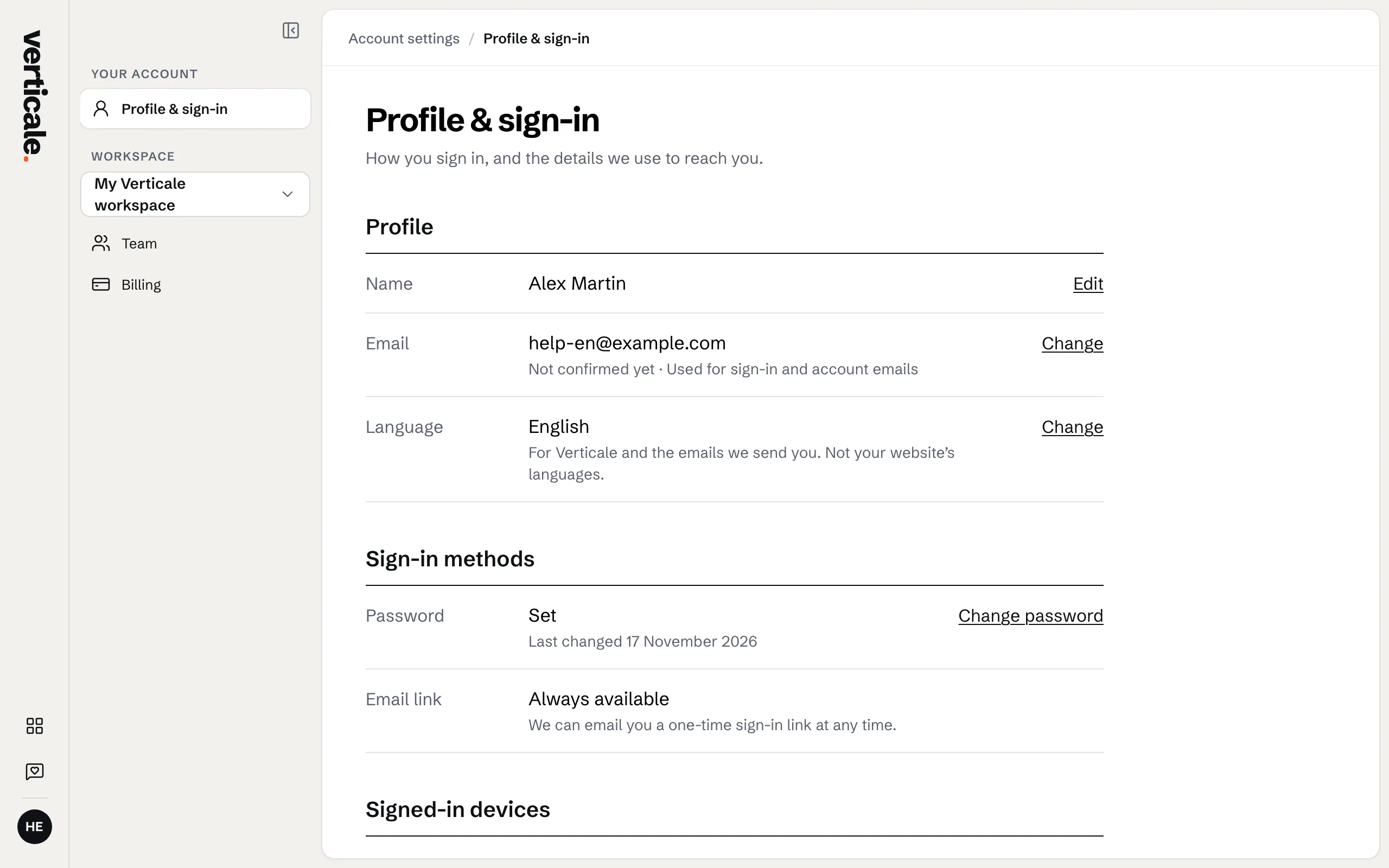
Click your account at the foot of the Studio’s tools, then Account settings. Profile & sign-in holds:
- your name, with Save;
- your email: Change, then confirm the new one from the email we send it;
- your password: Change, then Save new password;
- Sign out everywhere, for your other devices.
Language
Verticale and its emails speak English and French. Change language switches yours; it’s saved on your account, on every device.
Delete your account
Delete my account…, then enter your password and Delete account. This permanently deletes your account, and we email you to confirm it.
If your website or account is suspended
We suspend a website or an account only when it breaks the law or our terms, for example a phishing page. A suspended website shows visitors a page saying it isn’t available, and the Studio opens with Your website is suspended.: you can look through your draft, but changes are paused. A suspended account can’t sign in. Nothing is deleted, and we email the owners to say so. Reply to that email, or write to hello@getverticale.com, and we’ll sort it out together. Once it’s lifted, your website comes back as it was.