Show your rates and memberships
Check the green fees and membership prices we read from your current website, then publish them on your page.
1 min read · Paid plan · Checked on 16 Nov 2026
1. Open your price lists
In Golf Modules, click Memberships and Manage memberships (or Rates and Manage rates). Rates & memberships shows your Price lists, read from your current website.
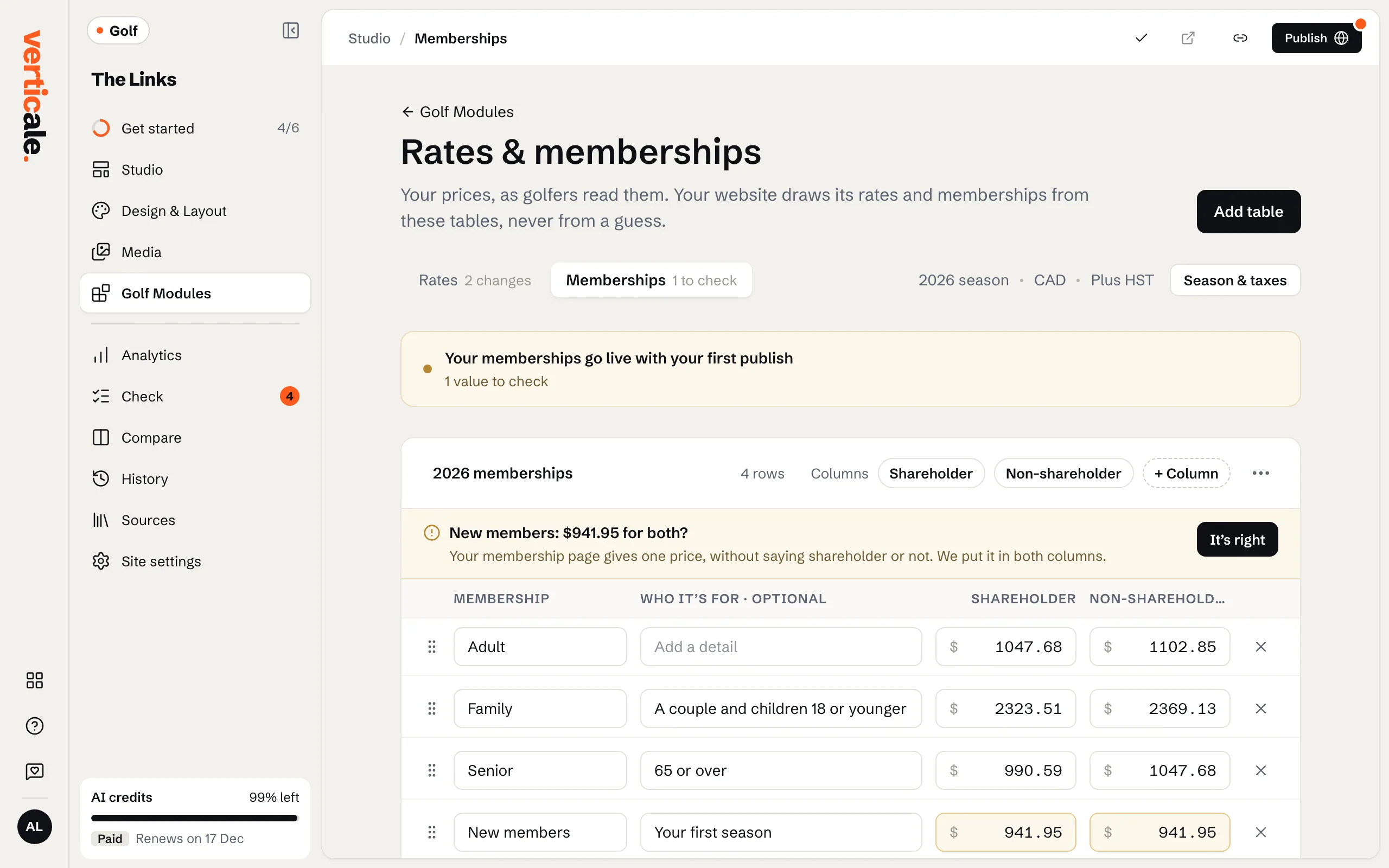
2. Check the prices
Edit any price by clicking it. Prices we weren’t sure of are counted as … to check: look at each one and click It’s right or correct it.
3. Season, taxes and the PDF
Season & taxes says when prices apply and whether taxes are included. Add a PDF of your full price list for visitors who want to print it.
4. Publish
Click Publish memberships: prices go online on their own. In Golf Modules, Show the … as chooses how they look on your page, such as Table.