Connect your own domain
Show your website on your club’s own address, like www.yourclub.com, instead of its temporary one.
1 min read · Paid plan · Checked on 16 Nov 2026
Your website starts on a temporary address, like the-links.verticale.page. With the Paid plan, it can live on your club’s own address. That address is called a domain: yourclub.com is one, and www.yourclub.com is the usual way to write it.
1. Enter your domain
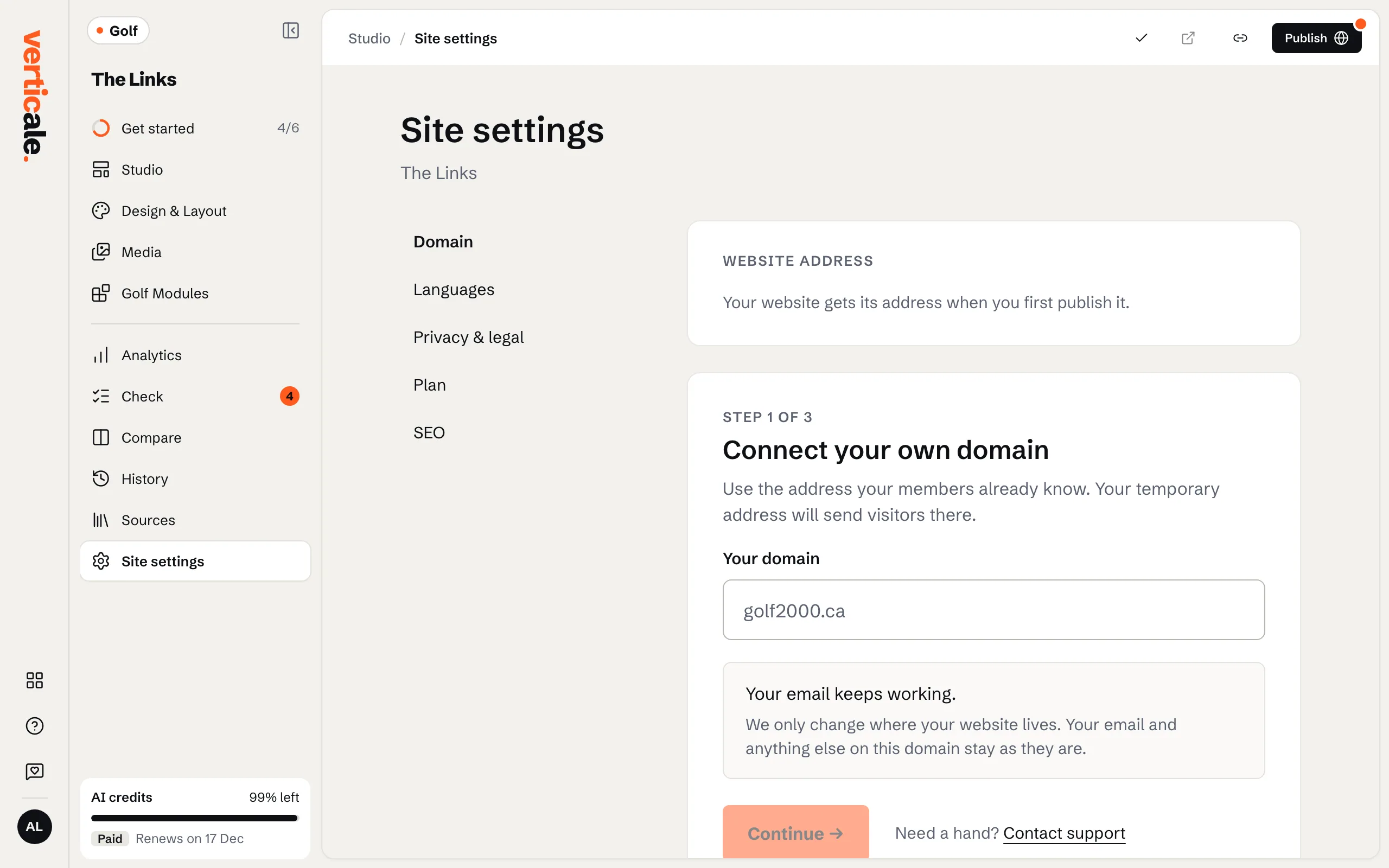
Click Site settings, then Domain. Under Connect your own domain, type it in Your domain, like www.yourclub.com, and click Continue →.
2. Add the records where your domain is managed
A domain leads to a website through a few lines of settings called DNS records. They’re kept where your domain is managed: the company you bought it from, or your IT person. Domain lists the two to add there: a CNAME for www, which sends visitors to your new website, and a TXT record that proves the domain is yours. Copy copies each value. Then forward your bare domain, like yourclub.com, to www.yourclub.com: look for Forwarding or Redirects there and choose permanent (301). Don’t change your MX records: they carry your email.
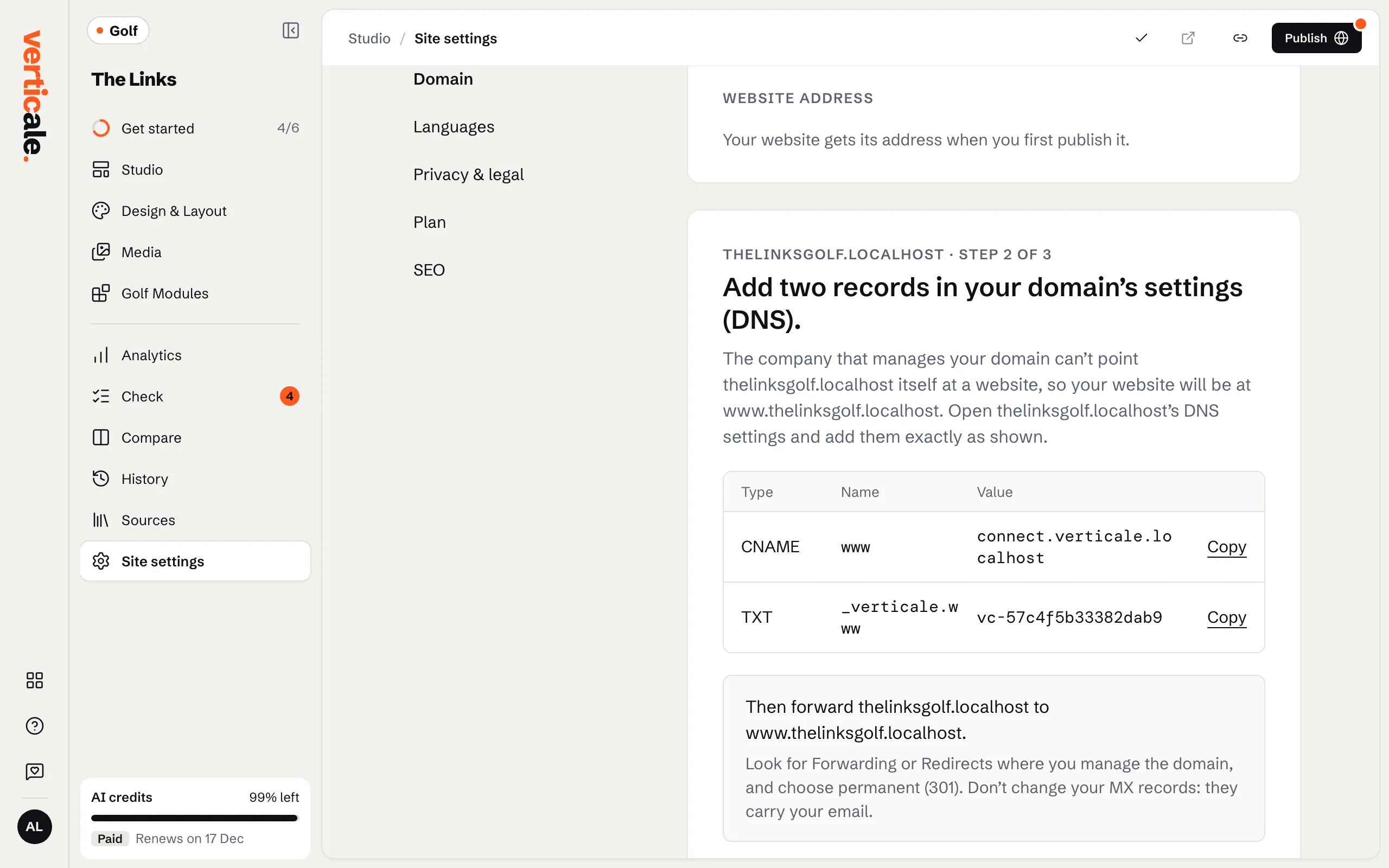
Not the one who manages it? Email these steps to someone. Once they’re added, click I’ve added them →.
3. Wait for Live
Domain checks follow each step. It usually takes minutes, sometimes a few hours. When Website address says Live, your website answers on your domain, and its temporary address sends visitors there.