Show your events
Import your tournaments and club events from a spreadsheet or your calendar, and show them as cards or a calendar.
1 min read · Paid plan · Checked on 16 Nov 2026
1. Add your events
In Golf Modules, open Events, then Manage events. Click Import:
- From a spreadsheet (CSV): Download the template, fill it in, then import it and check Rows of the file before you add them.
- From The Events Calendar: if your current website uses it, you see Events to add.
New events arrive as Draft under Upcoming events.
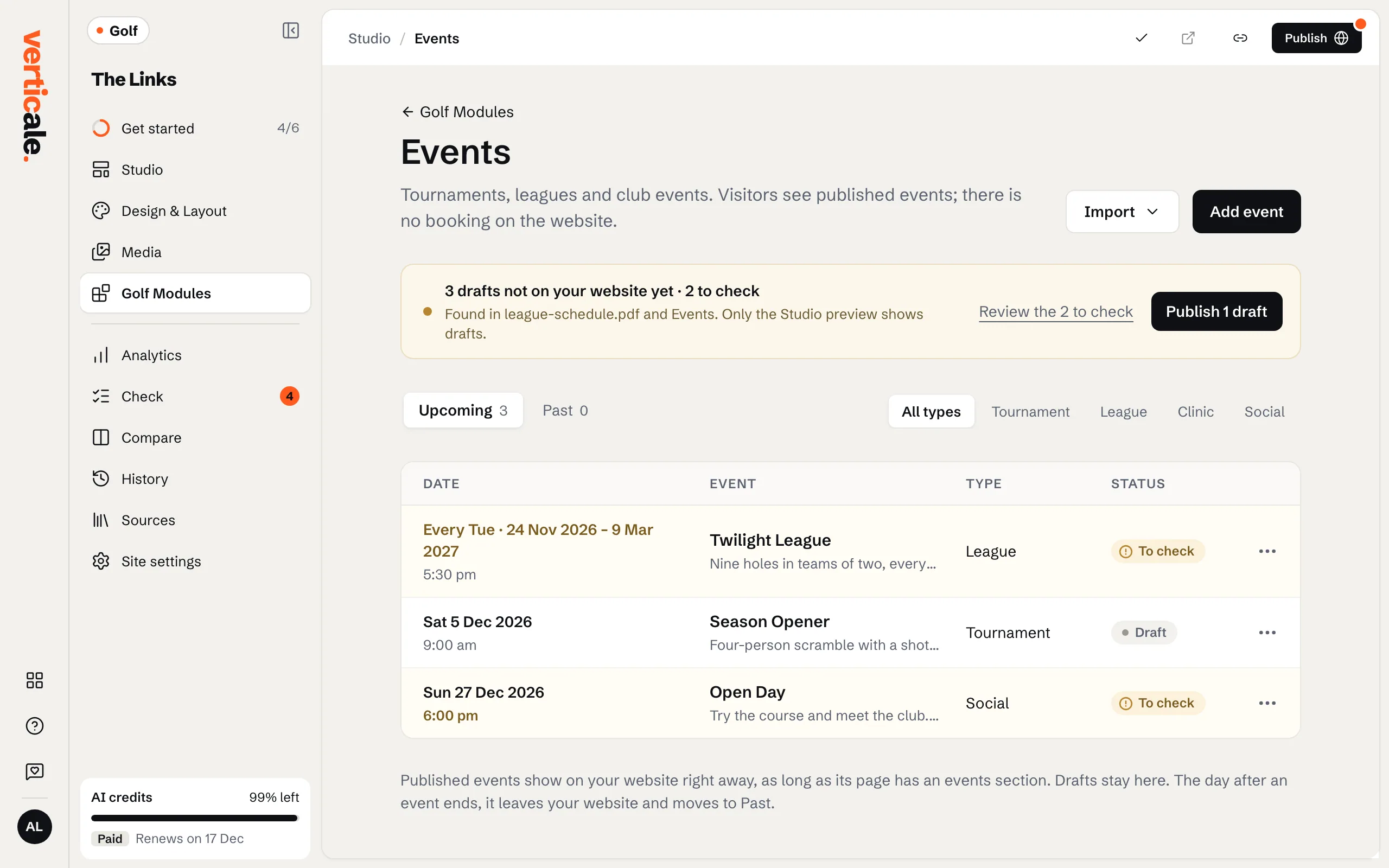
2. Publish them
Open an event, check it, and click Publish event. Only published events reach your website.
3. Add the section to your page
If your page has no events section yet, Golf Modules › Events offers to add one: choose Upcoming events, then Send. Under Show the Events as, pick Cards or Calendar: free and instant.