Ask the AI for a change
Describe what you want in your own words, for one element, a section or the whole page. It uses AI credits from your plan.
1 min read · Paid plan · Checked on 16 Nov 2026
1. Choose what to change
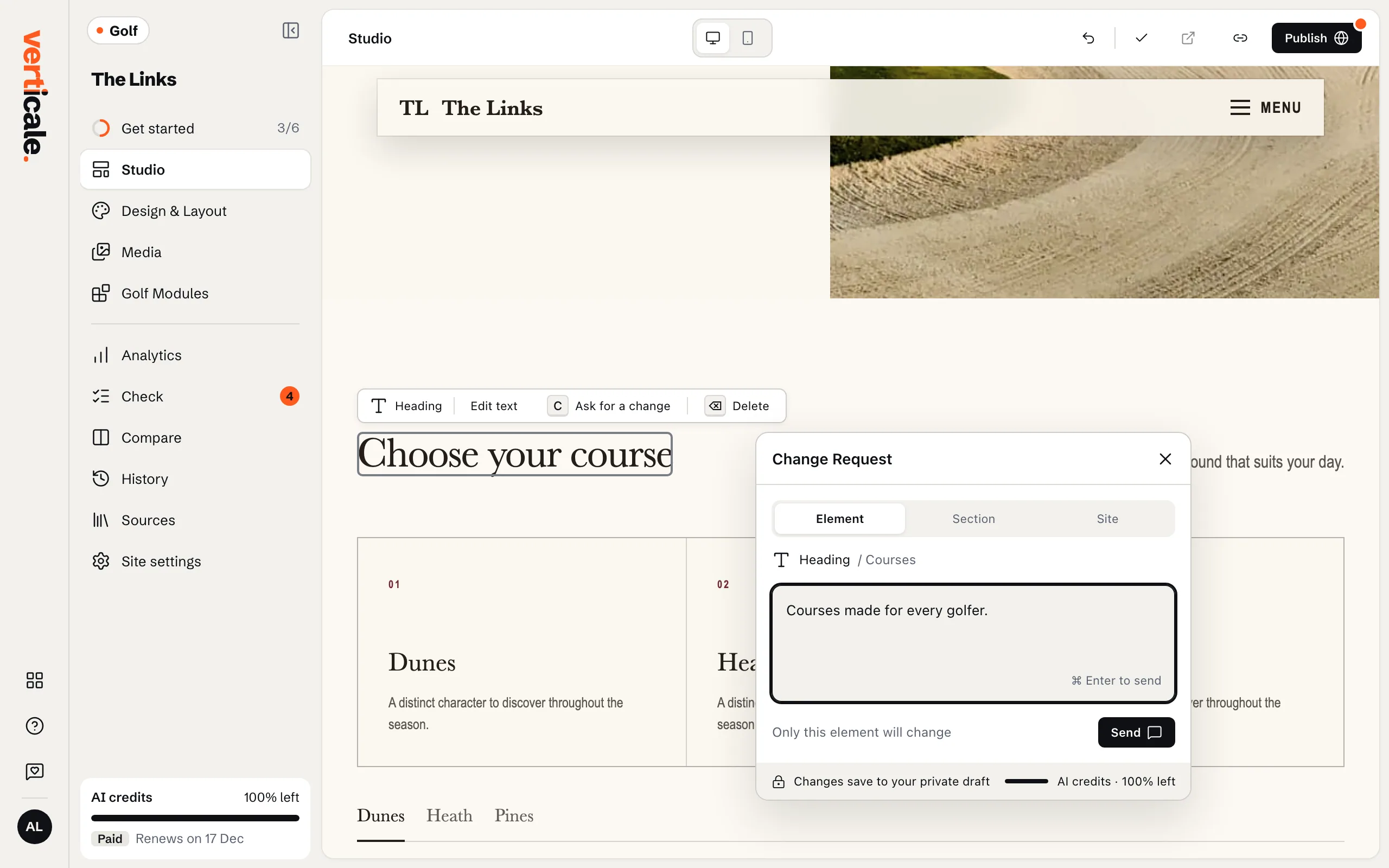
Click the element or section on your page, then Ask for a change in its bar. Or click Ask for a change… at the bottom of the page to change the whole website.
2. Describe the change
The Change Request panel opens. Choose how much it changes: Element, Section or Site. Write what you want in Describe the change, like “Make this warmer and shorter” or “Add our junior lessons”, then click Send.
The change takes a few seconds to a minute. You can keep reading while it runs.
3. Check it and rate it
Your page shows the change. Did this do what you asked? Answer Yes, it did or No, it didn’t, and say what went wrong if you like: it helps us improve.
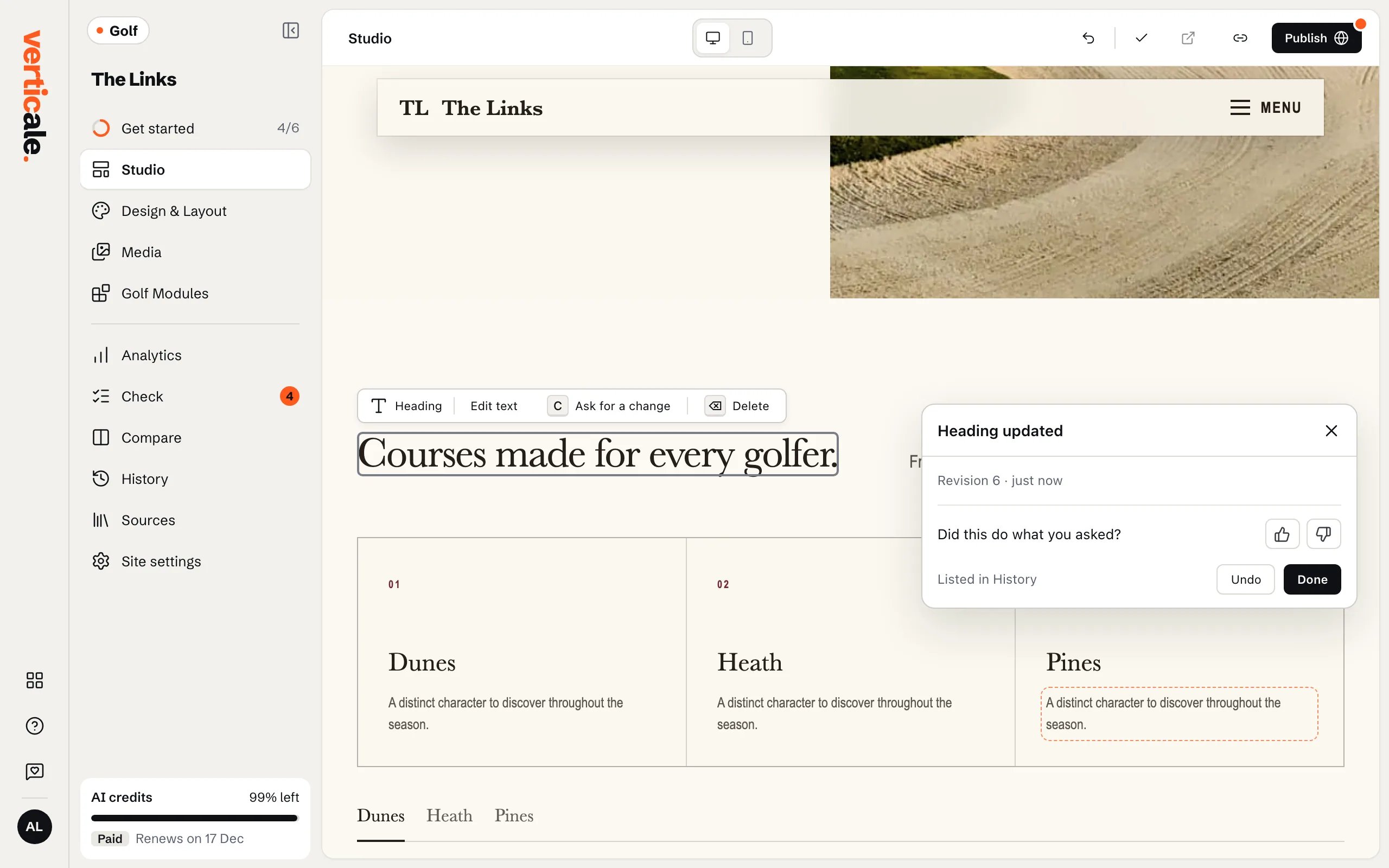
Not what you wanted? Undo last change takes it back.