Format a paragraph
Bold, italics, underline and links inside a paragraph, from the bar that shows while you type.
1 min read · Every plan · Checked on 16 Nov 2026
1. Start typing in the paragraph
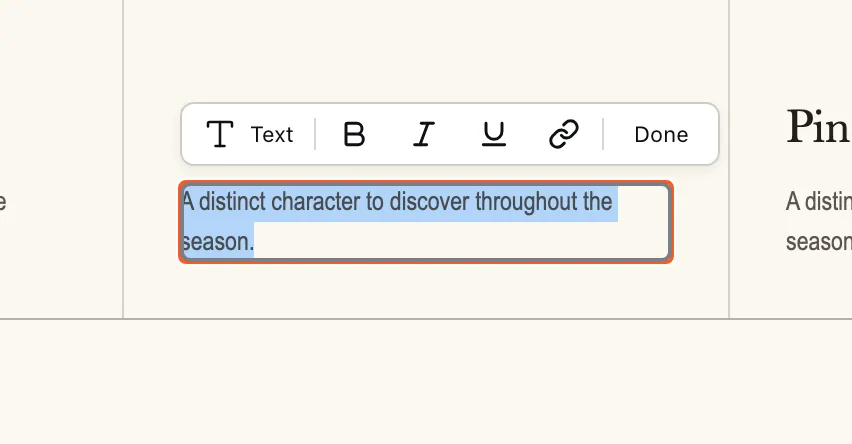
Click the paragraph, then Edit text (or press Enter). A formatting bar shows above it.
2. Select the words and format them
Select the words, then click Bold text, Italic or Underline.
3. Add a link
Select the words, click Link, type the address in Link to, then click Apply.
4. Finish
Click Done, or anywhere outside the paragraph. The formatting is kept, after a reload too.