Reorder and rename sections
Move your page’s sections up and down, rename them and choose which ones your menu shows, in Design & Layout.
1 min read · Every plan · Checked on 16 Nov 2026
1. Open the list of sections
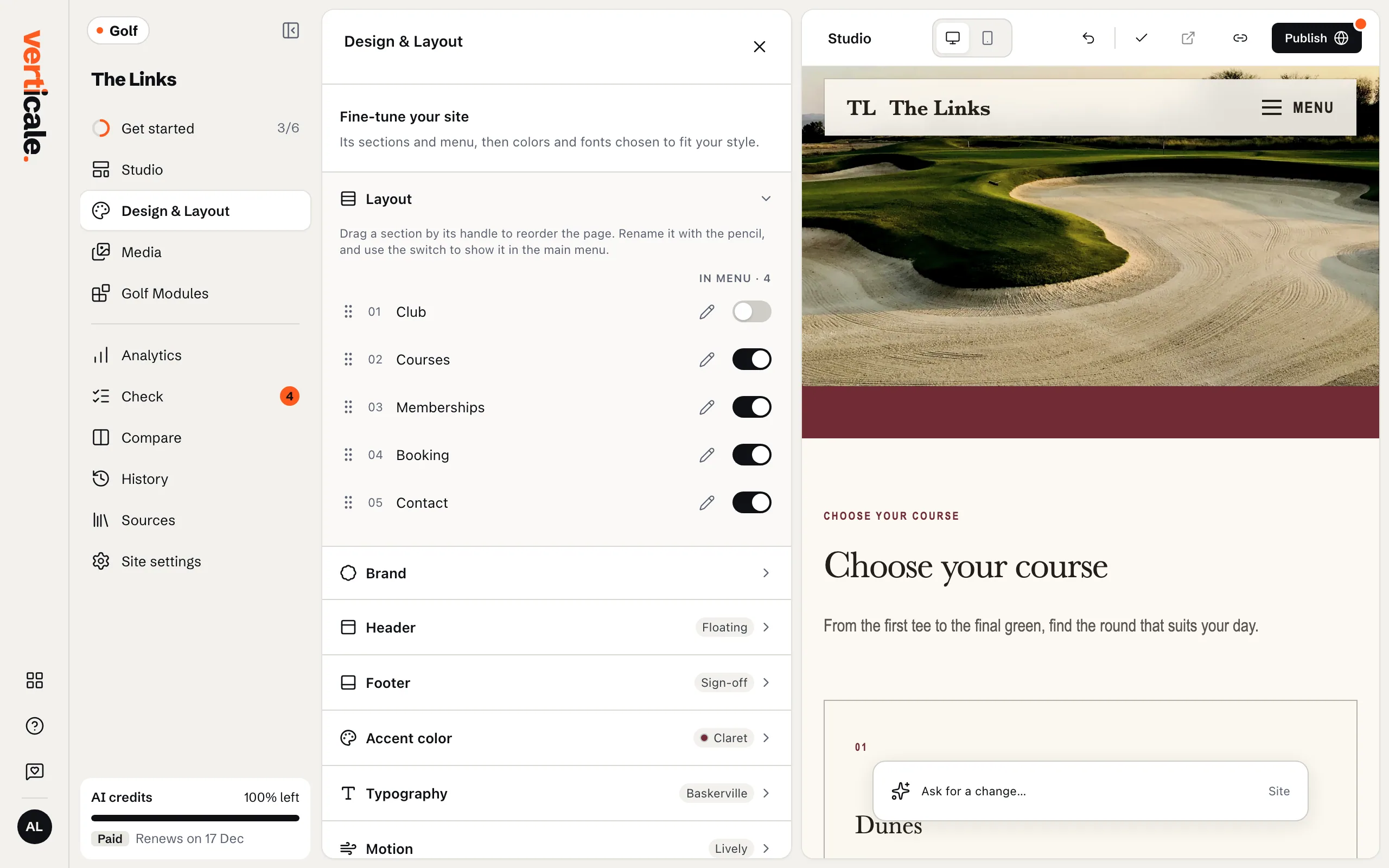
Click Design & Layout in the Studio’s tools, then Layout. Sections lists your page from top to bottom.
2. Move a section
Drag a section by its handle to its new place. From the keyboard: focus the handle, press Space, move it with the arrow keys, and press Space again.
3. Rename it, or take it out of the menu
Click the pencil beside a section to rename it: its menu link follows. Turn off Show … in the main menu to keep a section on the page but out of your menu.