Use your old website’s content
Sources holds everything read from your current website. Pick texts or whole pages and turn them into a change or a new section.
1 min read · Paid plan · Checked on 16 Nov 2026
1. Open Sources
Click Sources in the Studio’s tools. It lists what Verticale read from your current website: its texts and its pages. Filter with Text or Pages.
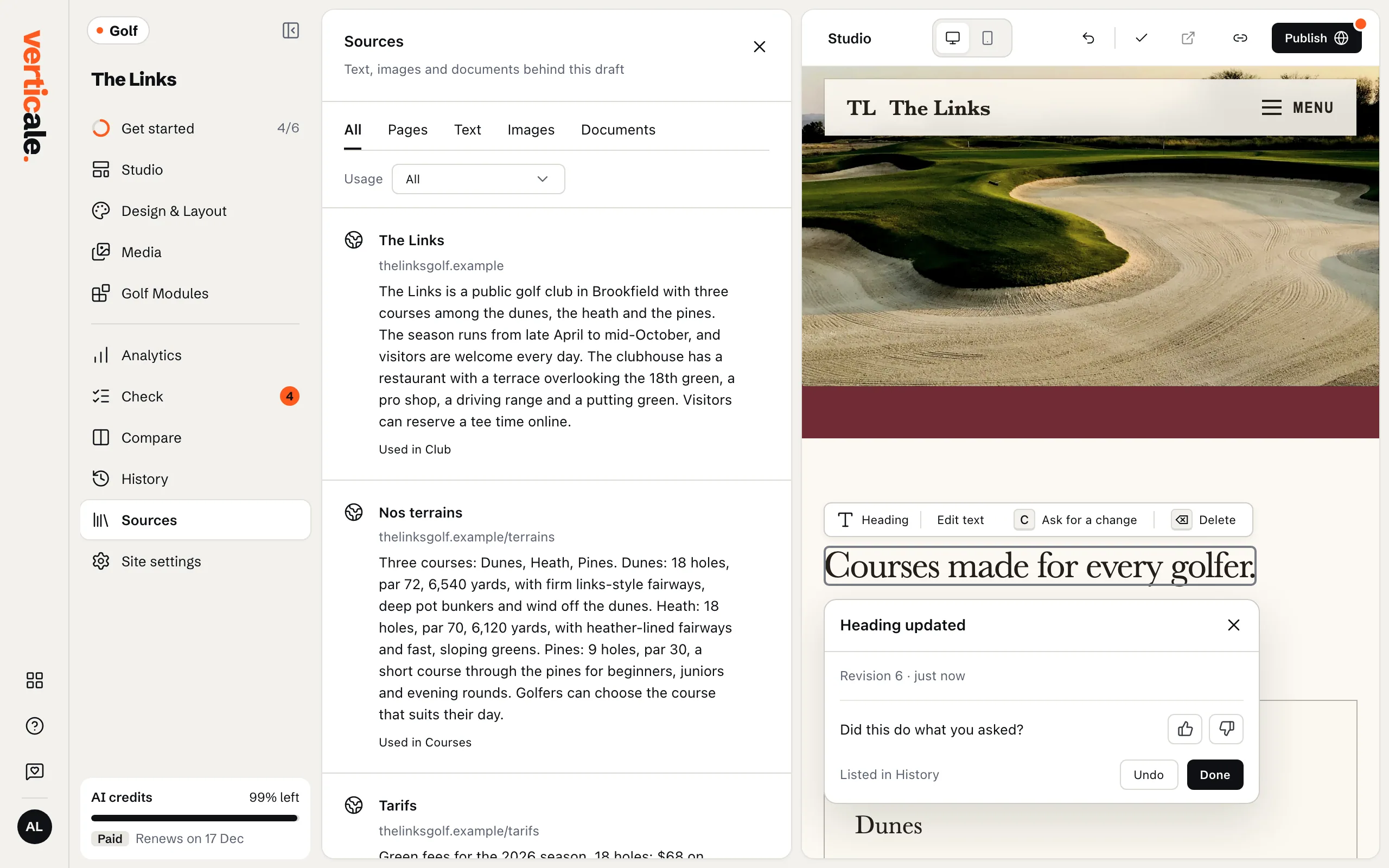
2. Pick what you need
Tick one text, several, or whole pages.
3. Use them
- Continue in Change Request opens the AI change with them attached: describe what to do with them, then Send. See Ask the AI for a change.
- Create section from … sources builds a new section out of them.