The Get started guide
Six first steps in the Studio’s sidebar, each ticked as you do it, with a button that takes you where it’s done.
1 min read · Free · Checked on 16 Nov 2026
Open it
Click Get started at the top of the Studio’s tools. Its ring and count, such as 2/6, show how far you are.
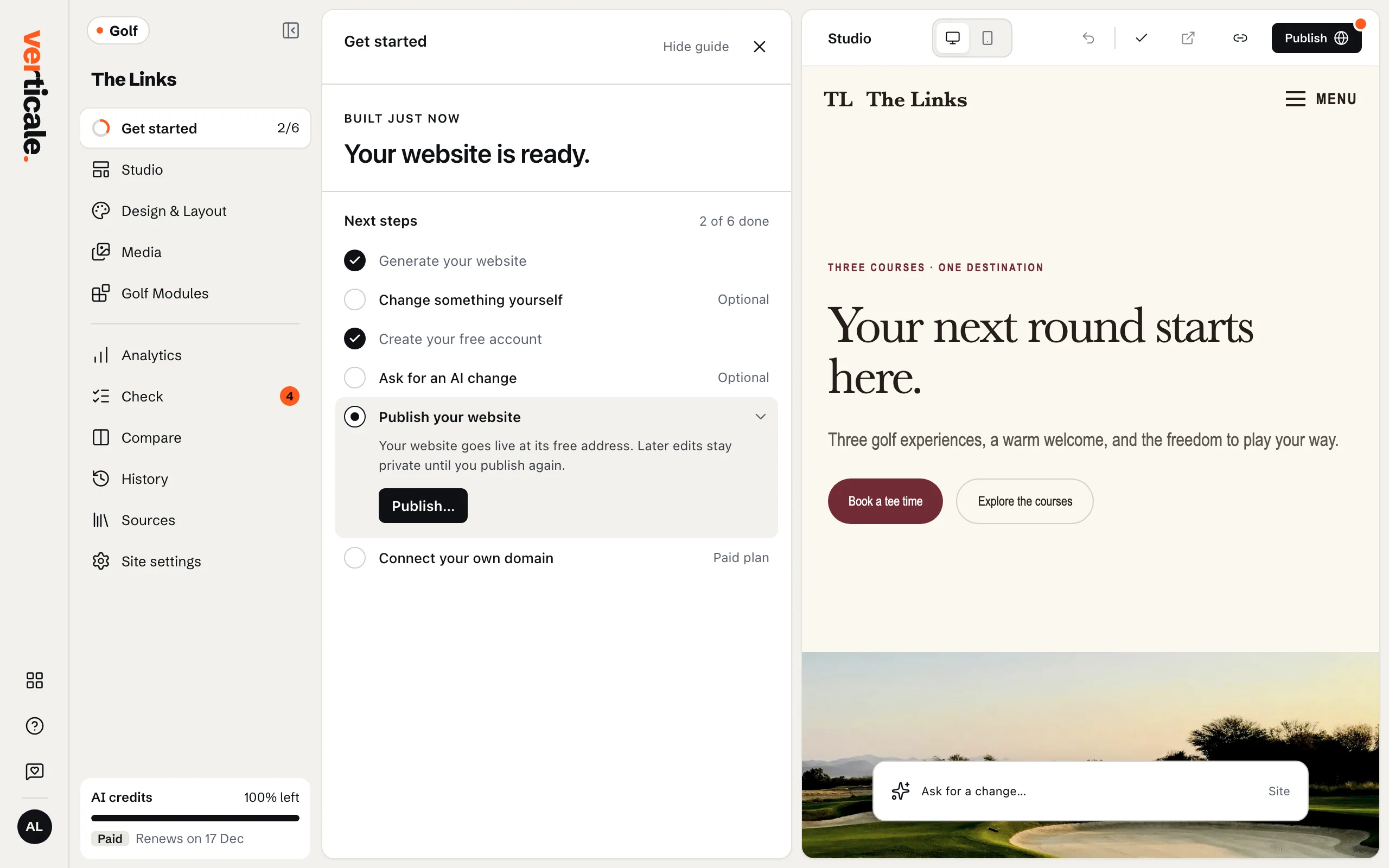
The six steps
- Generate your website: done as soon as your draft is built.
- Create your free account: see Keep your website with an account.
- Change something yourself: edit a text or a photo. See Edit a text in place.
- Ask for an AI change: its Ask for a change button opens the request. See Ask the AI for a change.
- Publish your website: its Publish… button opens Publish. See Publish your website.
- Connect your own domain, with the Paid plan: Connect a domain opens Site settings. See Connect your own domain.
Each step is ticked once it’s done, and Next steps counts them, such as 2 of 6 done. Change something yourself and Ask for an AI change are optional. Once your website is published on your own domain, the guide leaves the sidebar.
Rate your first version
How is this first version? Pick a score from 1 to 5, and say more in Anything we should know? if you like, then Send. It helps us make the next ones better.